
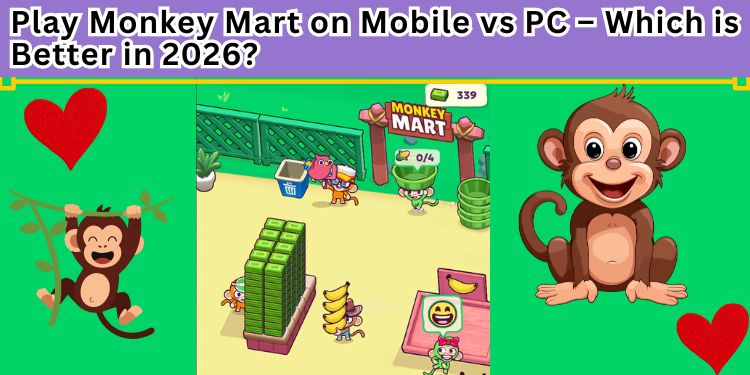
If you have been browsing the internet for free, fun games in 2026, you have probably heard of Monkey Mart. It is that cute little browser game where you play as a monkey who runs a grocery store. You start by selling bananas, then you move on to corn, milk, eggs, and eventually you build a huge supermarket empire with lots of helper monkeys.
It sounds simple, right? Well, it is incredibly addictive. But here is the big question that every player asks: What is the best way to play Monkey Mart?
You can play it on your phone (mobile) or on your computer (PC). Both versions are free. Both versions let you build your store. But the feeling of playing them is very different.
In this article, we are going to put Monkey Mart Mobile vs PC head-to-head. We will look at the controls, the screen size, the speed, and even where you can play without getting blocked (like at school or work). By the end of 2026, you will know exactly which device you should use to build your monkey empire.
Let’s dive in and settle this debate once and for all.
What Exactly is Monkey Mart? (A Quick Refresher)
Before we compare the two, let’s make sure everyone knows the game. Monkey Mart is an idle simulation game created by a developer named TinyDobbins . You are a monkey. You run a shop.
Here is how the game works:
- You walk over to a field and harvest crops (like bananas or corn).
- You carry those items to a shelf.
- Customers walk into your mart, grab the items, and pay you at the checkout.
- You use the coins to buy upgrades, unlock new products (like chocolate or juice), and hire helper monkeys .
The goal is to make your store run by itself so you can just watch the money roll in.
In 2026, the game is bigger than ever. There is even a Monkey Mart 2 available now, which has more sections and more complex upgrades . But whether you play the original or the sequel, the choice of device changes everything.
Round 1: The Controls – Tapping vs Clicking
The most important part of any game is how you control it. If the controls feel bad, the game is not fun.
Playing on Mobile (Phone or Tablet)
When you play Monkey Mart on mobile, you use a touch screen. There is a virtual joystick that appears on the screen. You put your thumb on it, and you drag it to move your monkey around.
The Good Stuff:
- It feels natural. You drag your monkey exactly where you want him to go. It feels like you are physically pushing him.
- Harvesting is a tap. When you walk over crops, you just tap them. It is very fast.
- You can play anywhere. On the bus, on the couch, or lying in bed. Mobile is built for comfort.
The Bad Stuff:
- Your thumb blocks the screen. Sometimes, you cannot see the customers because your fat thumb is covering the shelf.
- Precision is hard. When the store gets big, you need to walk into tiny spaces. On a small phone screen, you might miss the spot and walk in circles.
- Battery drain. If you play for an hour, your phone battery will drop fast.
Playing on PC (Computer)
When you play on a PC (through a website like MonkeyMartHub), you use the keyboard. You press WASD or the Arrow Keys to move the monkey .
The Good Stuff:
- Perfect accuracy. Pressing “W” always moves up. You never miss. You can weave through crowded aisles like a pro.
- The screen is clear. Your hands are on the keyboard, not covering the game. You can see everything.
- No battery issues. You can play for hours on a PC without worrying about charging.
The Bad Stuff:
- It feels stiff. Moving a monkey with keyboard keys is not as “chill” as dragging him with your finger.
- You are stuck at a desk. You cannot lie on your couch easily with a PC (unless you have a laptop).
The Verdict for Controls:
For casual, relaxing play, Mobile wins because it feels more physical. But for serious efficiency and speed, PC wins because of the precise keyboard controls.
Round 2: Screen Size and Visuals
Monkey Mart has a cute, simple art style. It is not a 4K graphics game. However, how you see the game matters a lot.
Mobile View
On a phone, the game shrinks down to fit your palm.
- Zoomed in: The monkey looks big. It is easy to see the details of the banana stand.
- Scrolling needed: Because the store gets bigger, you have to scroll the screen left and right to see the corn field or the checkout. This scrolling gets annoying when you are in a hurry.
- Eye strain: Looking at a tiny screen for a long time hurts your eyes.
PC View
On a computer monitor, the game is huge.
- See the whole store: On a big screen, you can often see the banana farm, the corn field, and the checkout all at once. You do not need to scroll as much.
- Better planning: When you can see everything, you can plan your route better. “Okay, I will grab bananas, then run to corn, then check out the customer.”
- Easier on the eyes: The bright colors of Monkey Mart look better on a large monitor.
The Verdict for Visuals:
PC wins this round easily. A bigger screen means less scrolling and less eye strain. If you want to manage your helper monkeys efficiently, you need to see the whole map.
Round 3: Performance and Speed
Does the game lag? Does it freeze? Nothing is worse than your monkey freezing right before you reach the cash register.
Mobile Performance
- Depends on your phone: If you have an old Android phone from 2020, Monkey Mart might lag, especially when the store gets full of customers.
- Background apps: If you get a text message or a notification, it can interrupt your game.
- Heat: Phones get hot. When phones get hot, they slow down.
PC Performance
- Smooth as butter: Even a cheap school Chromebook can run Monkey Mart perfectly. It is a browser game; it does not need a gaming PC.
- No interruptions: You can play without texts or calls popping up in your face.
- Faster loading: Websites load faster on PC internet browsers usually.
The Verdict for Performance:
PC wins. It is just more stable. However, if you have a brand new iPhone or high-end Android in 2026, the mobile version runs great too. But for the average person, the PC experience is smoother.
Round 4: Portability (The “Where” Factor)
This is where the fight gets interesting. You cannot take a desktop PC to a coffee shop or on an airplane.
Mobile is the King of Portability.
- Play anywhere: Waiting for a doctor? Play Monkey Mart. Riding the bus? Play Monkey Mart. Hiding in the bathroom? You guessed it.
- Quick sessions: You can open the game, harvest your crops, hire a helper, and close it in 2 minutes.
My PC is stuck at home.
- You need a desk: You need to sit down and focus.
- Good for long sessions: PC is better when you want to play for 2 hours straight to unlock the cheese aisle or the fish station .
The Verdict for Portability:
Mobile wins by a landslide. In 2026, people are busy. Being able to play Monkey Mart Unblocked on your phone while waiting for the train is a huge advantage.
Round 5: The “School or Work” Factor (Unblocked Access)
Here is a secret many students know. Monkey Mart is a browser game. Many schools block gaming websites on their computers. This is where the term Monkey Mart Unblocked 76 comes from .
Playing at School on PC
- The Block Problem: Most school computers block websites like Coolmath Games or other gaming portals.
- The Solution: There are special sites called “Unblocked 76” that host Monkey Mart specifically to bypass school firewalls . However, these sites come and go. Sometimes they are full of weird ads.
- Risk Factor: If a teacher walks by, they see a big screen with monkeys on it. You get caught easily.
Playing at School on Mobile
- Use Mobile Data: If the school WiFi blocks the game, just turn off the WiFi and use your phone data. Schools cannot block your cellular data (usually).
- Stealth Mode: It is easier to hide a phone under a desk than a computer monitor.
The Verdict for Unblocked Access:
Mobile wins. Using your own data connection means you never have to search for a sketchy “unblocked” website. You just go to the real site and play.
Round 6: Idle Progression and “AFK” Farming
Monkey Mart is an idle game. That means your monkeys keep working even if you stop touching the screen.
Mobile Idle Play
- Screen turns off: This is the biggest problem. If you put your phone in your pocket, the screen locks, and the game pauses. You cannot leave it running overnight.
- Battery life: You cannot leave your phone plugged in and running the game all night easily (it might overheat).
PC Idle Play
- Leave it running: You can leave Monkey Mart open in a browser tab on your PC, walk away for 3 hours, come back, and you will have thousands of coins.
- True Idle Experience: Because the PC stays on (or sleeps but keeps the browser open), your helper monkeys work much longer for you.
The Verdict for Idle Farming:
PC wins. If you want to make money while you sleep, you need to play on PC. Mobile just cannot compete here because phones are designed to turn off.
Deep Dive: The Specific Games (Original vs. Sequel)
In 2026, you have two main games to choose from. There is the original Monkey Mart and the newer Monkey Mart 2.
The Original Monkey Mart
The original game is focused. It is simpler. You start with bananas, unlock corn, then eggs, then milk, then chocolate .
- Best for: Beginners and mobile players.
- Why? Because the original is shorter, you can complete it faster on your phone without needing to leave it running for days.
Monkey Mart 2
The sequel is bigger. It has helper specialization and more complex production chains .
- Best for: PC players and experienced gamers.
- Why? Monkey Mart 2 takes a long time to beat. You need to leave it running idle for hours. You also need precise controls to manage the complex layout.
The Conclusion on Versions:
Play the Original on Mobile (short bursts). Play Monkey Mart 2 on PC (long sessions).
The Ultimate Comparison Table
Let’s put all the facts into a simple table so a 10th grader can see the winner immediately.
| Feature | Mobile (Phone/Tablet) | PC (Computer/Laptop) | Winner |
| Controls | Touch screen & drag (Easy, but blocks view) | Keyboard (WASD/Arrows) (Precise) | PC |
| Portability | Play anywhere, anytime (Bus, bed, bathroom) | Stuck at a desk | Mobile |
| Battery Life | Drains fast, overheats | Unlimited (plugged in) | PC |
| Screen Size | Small, lots of scrolling | Big, see the whole store | PC |
| Idle Farming | Stops when screen locks | Runs for hours in background | PC |
| School/Work | Use mobile data to bypass blocks | Often blocked by WiFi | Mobile |
| Best For | Short, 5-minute play sessions | Long, 2-hour building sessions | Draw |
Tips for Playing on Mobile in 2026
If you choose to play on your phone, you need to change your strategy. You cannot just leave the game running.
- Focus on Speed Upgrades First: Because you cannot leave the phone idle, you need your monkey to move fast. Upgrade movement speed and harvest speed as soon as possible .
- Hire Helpers Early: Save up your coins to hire the helper monkeys. They work even if you are looking at a text message. The sooner you hire them, the more money you make .
- Play on a Tablet if you can: An iPad or Android tablet gives you the portability of mobile with the screen size of a PC. It is the best of both worlds.
- Close other apps: Before you open Monkey Mart, close TikTok and Instagram. Your phone will run the game much faster.
Tips for Playing on PC in 2026
Playing on a PC gives you power. Here is how to use it.
- Use the “Idle” Strategy: On Friday night, open Monkey Mart on your PC. Turn off your screensaver. Let it run all weekend. By Monday, you will have millions of coins.
- Master the Keyboard: Do not use the mouse. Learn to use WASD without looking. This allows you to watch the customers while you walk.
- Open Multiple Tabs (Maybe): Some players try to open two games at once. Be careful—sometimes this breaks the save file. Stick to one tab.
- Find a clean Unblocked site: If you are at school, do not just search “Monkey Mart.” Search for Monkey Mart Unblocked 76 or dedicated sites like MonkeyMartHub to ensure the game loads .
What About the Ads?
Let’s be honest. Free games have ads.
- On Mobile: You will see more ads on mobile. Often, you have to watch a 30-second video to get a double bonus or to revive your game. This is because mobile games make money from ads.
- On PC (Browser): Usually, there are fewer forced ads. However, the website itself might have pop-up ads. An ad-blocker extension on your PC browser fixes this instantly. You cannot use an ad-blocker easily on iPhone.
Winner: PC (because you can block the ads).
The Final Answer: Which is Better in 2026?
After looking at everything—controls, battery, screens, and school filters—here is the honest truth.
There is no single winner. It depends on who you are.
Choose Mobile if:
- You are a student who wants to play between classes.
- You do not have a personal laptop.
- You like playing games while lying in bed or watching TV.
- You only play for 10 to 15 minutes at a time.
Choose PC if:
- You are a serious player who wants to unlock everything fast.
- You want to leave the game running while you do homework.
- You hate using touch screens and prefer a keyboard.
- You want to play Monkey Mart 2 (the bigger version).
My Personal Pick for 2026:
If you force me to choose one, I am picking a PC. Why? Because of Monkey Mart 2. The sequel is so big that playing it on a small phone screen is frustrating. You need the precision of the mouse and keyboard to manage the helper monkeys and the new production chains.
However, if you are just killing time on the bus, the Mobile version of the original Monkey Mart is perfect.
How to Start Playing Today
Getting started is free and easy.
For PC:
- Open your browser (Chrome, Edge, Firefox).
- Go to a trusted site like MonkeyMartHub or search for “Monkey Mart Unblocked 76.”
- Press “Play.” No download required .
For Mobile:
- Open Safari or Chrome on your phone.
- Go to the same website.
- The game will ask if you want to use touch controls. Say yes.
- You can even “Add to Home Screen” so it looks like an app you downloaded from the store .
Final Thoughts
Monkey Mart is one of those rare games that proves you do not need explosions or fast cars to have fun. Sometimes, just running a grocery store as a monkey is enough.
In 2026, the game is better than ever. Whether you tap on a screen or smash a keyboard, you are going to have a good time.
But now you know the truth. If you want to build an empire, turn on the PC. If you want to relax, grab your phone.
Now go out there and start stacking those bananas. Your customers are waiting
Visit Related Articles:
